

















Keeping email settings consistent across multiple campaigns has always meant doing the same thing over and over — opening each campaign, making the change, moving to the next. The more campaigns, the more time lost.
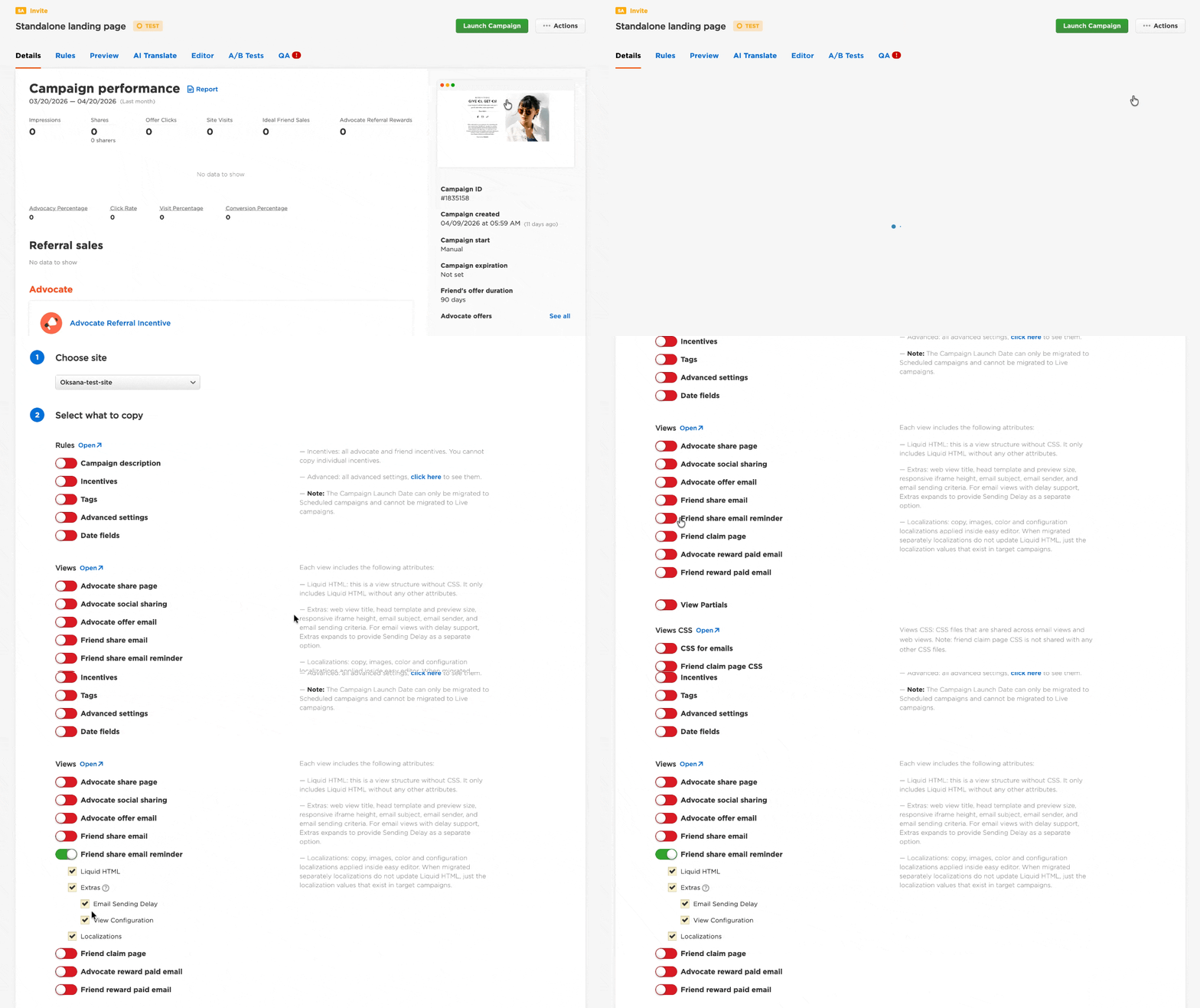
We’ve added Email Sending Delay as a standalone checkbox in the Extras section of the campaign migration tool. Now anyone on your team can copy delay settings from one campaign to as many targets as needed in a single pass.
Here’s what you can do:
- Select Email Sending Delay under Extras in the Campaign Migration Tool
- Choose your source campaign and all target campaigns
- Copy the full delay configuration across all selected campaigns in one step
- Apply this to any campaign type where email delay is configurable
What used to take twenty minutes now takes seconds — and it’s available to everyone using the Campaign Migration Tool, no special access required.